Readers searching for rodin ai will find a practical benchmark for judging 3D-generation exports: this review compares Tripo and 3D Studio using the same watch-stand source, renderer, and camera setup.
Disclosure: this is an independent hands-on test. Both tools were run on ordinary customer accounts; neither company supplied review access or saw this piece before publication.
My verdict in 60 seconds — Tripo 60/100, 3D Studio 90/100
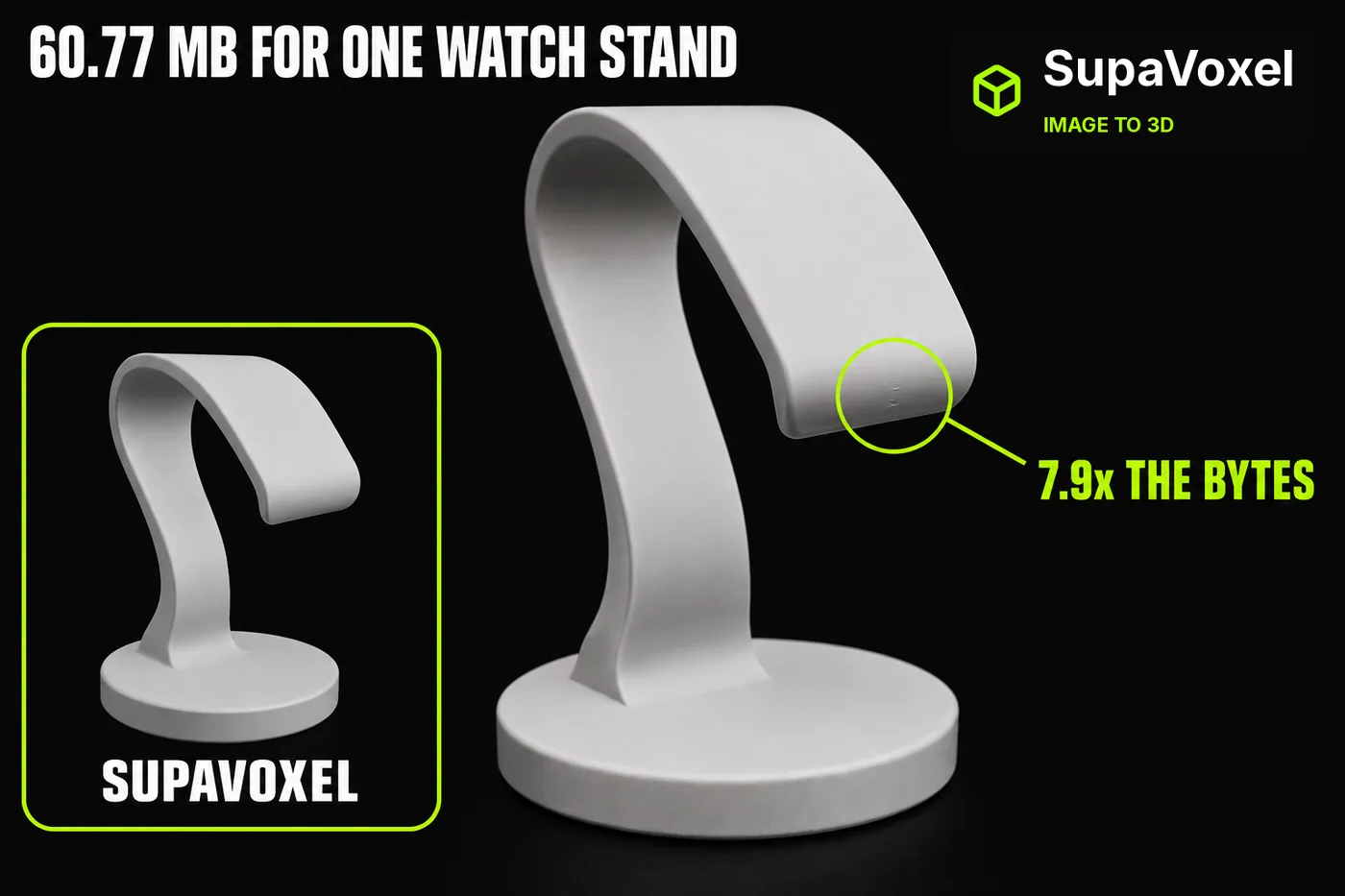
Same photo of a cantilever watch stand, same offline renderer, same camera rig for both models. Tripo's export weighs 60,768,680 bytes. 3D Studio's weighs 7,704,168 — 7.9× lighter for a shape that looks like the same object from every angle I rendered. The gap is not geometry: Tripo has 33% more triangles but 7.9× the bytes, because Tripo ships uncompressed geometry and 4.33 MB of JPEG and PNG maps where 3D Studio ships meshopt-compressed geometry and 0.45 MB of WebP.
- GLB size — Tripo 60.77 MB · 3D Studio 7.70 MB · 7.9×
- Bytes per triangle — Tripo 30.45 B · 3D Studio 5.14 B · 5.9×
- Triangles — Tripo 1,995,520 · 3D Studio 1,500,000 · Tripo 1.33×
- Base colour map — Tripo 1.35 MB · 3D Studio 0.21 MB · both 4096×4096, 6.5× the bytes
- Maps a printer never reads — Tripo 2.98 MB · 3D Studio 0.24 MB · 12.5×
- Texture formats — Tripo JPEG + JPEG + PNG · 3D Studio 3× WebP · the PNG alone is 2.04 MB
- 4G download at 12 Mbps — Tripo 40.5 s · 3D Studio 5.1 s · 35.4 s of waiting
- Geometry VRAM estimate — Tripo 56.4 MB · 3D Studio 44.0 MB · 12.4 MB saved
Five things the same-camera renders and the byte counts say:
- Tripo's export dialog defaults Texture Resolution to 4k Current, and nothing in that dialog tells you what it does to the file size. That default is most of the 60.77 MB.
- One Tripo file — a 4096×4096 PNG normal map at 2,043,213 bytes — is 4.6× larger than 3D Studio's entire three-texture set.
- Both products invent detail where the photo showed nothing. 3D Studio added a plaque on the arch underside; Tripo added a concentric groove ring on the base top, which the input photo does not have.
- Tripo's silhouette is the crisper one: a thinner, sharper arch tip and a longer reach. 3D Studio's is blunter and wider.
- Tripo arrived first on this subject — 160.0 s against 250.2 s — though across all ten subjects 3D Studio was quicker on seven and Tripo was the steadier one at 135–189 s. Either way the file it hands back costs 52 credits and 53.07 MB more.
For anything that will be downloaded, previewed in a browser or served more than once, the 3D Studio file is the one to ship. If your only consumer is a workstation with the file already local, the 53 MB is somebody else's problem and Tripo's crisper arch tip is a fair thing to want.
The input both models were given
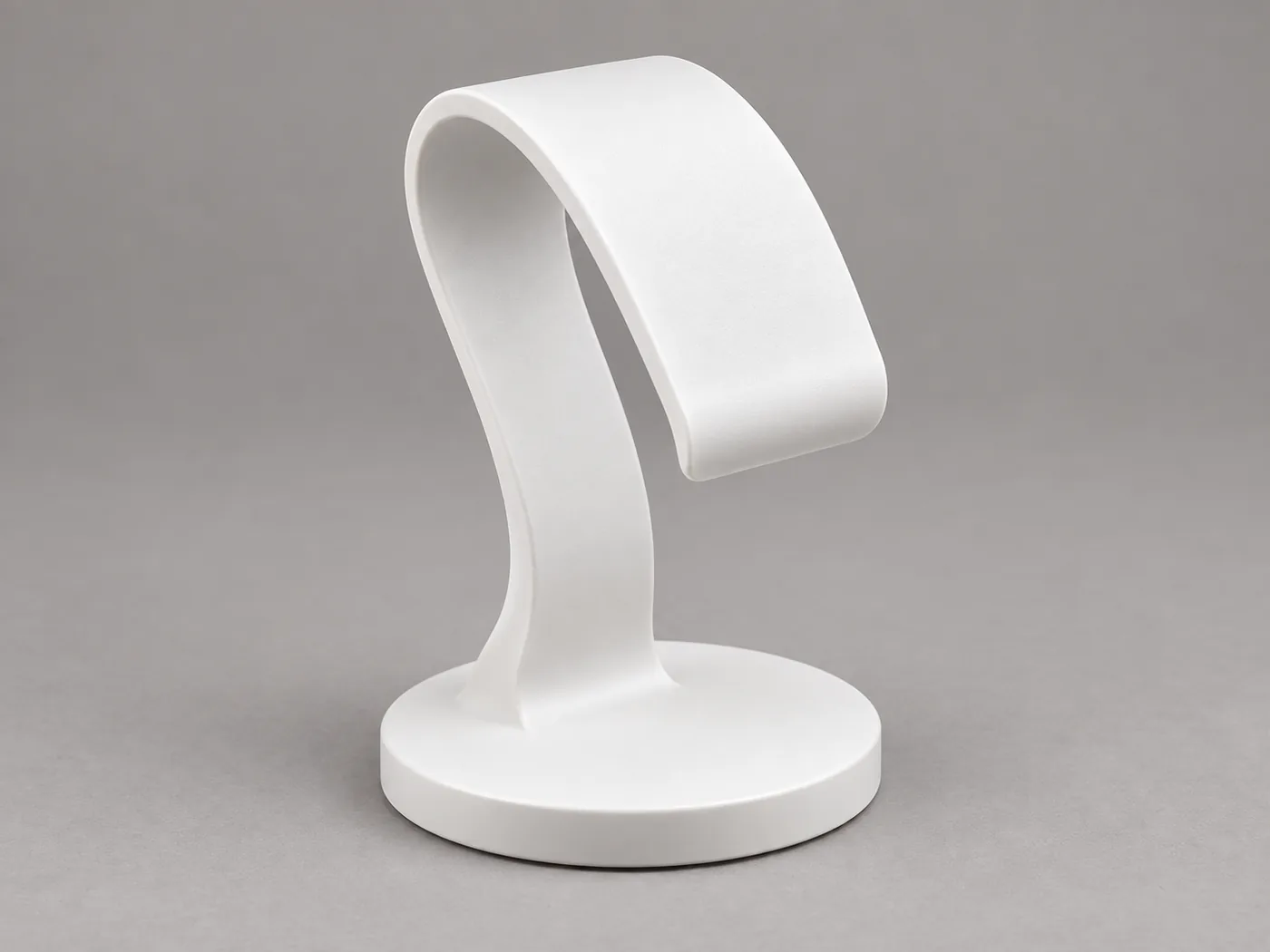
One 1,518,703-byte PNG, sha256 645af033…, shot three-quarter front. The back, the arch underside and the base top are not in this photo at all.
Everything after this is the same file into two products, same defaults, one run each, then both GLBs downloaded and rendered offline under identical lights. The two exports sit at different yaw angles in world space (Tripo 0°, 3D Studio 320°), so my render script offsets each to the same pose — every pair below is genuinely the same viewpoint, not two flattering picks.
Front, same camera
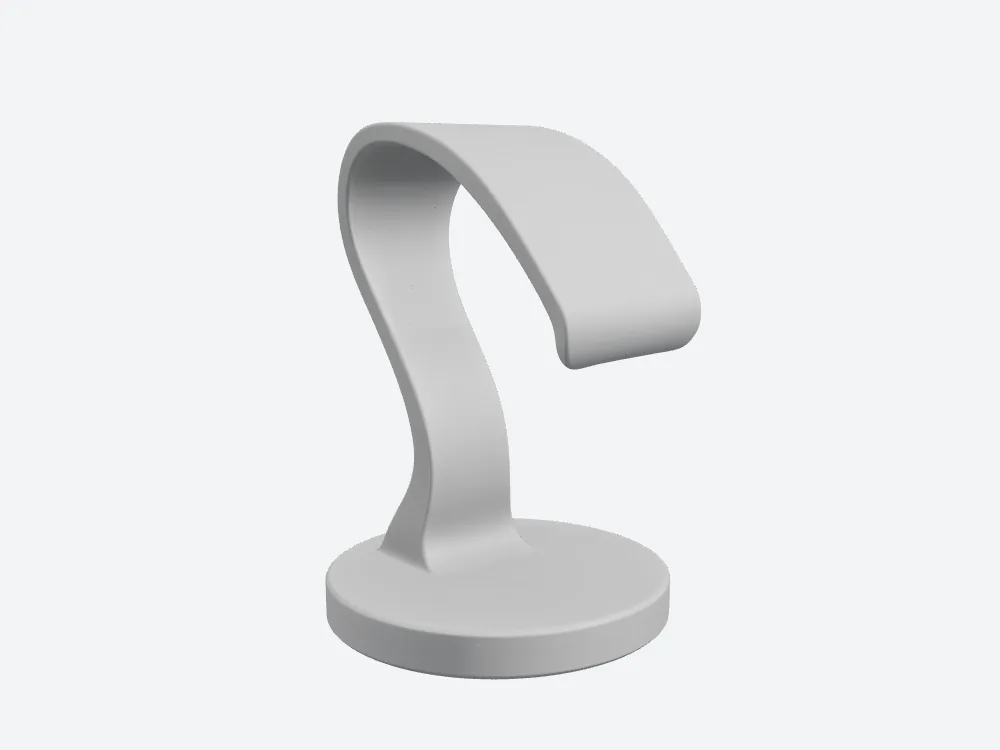
3D Studio: the arch sweeps off the column top into a squared lip with real thickness, one continuous surface with no crease. The S-curve in the column is pronounced.
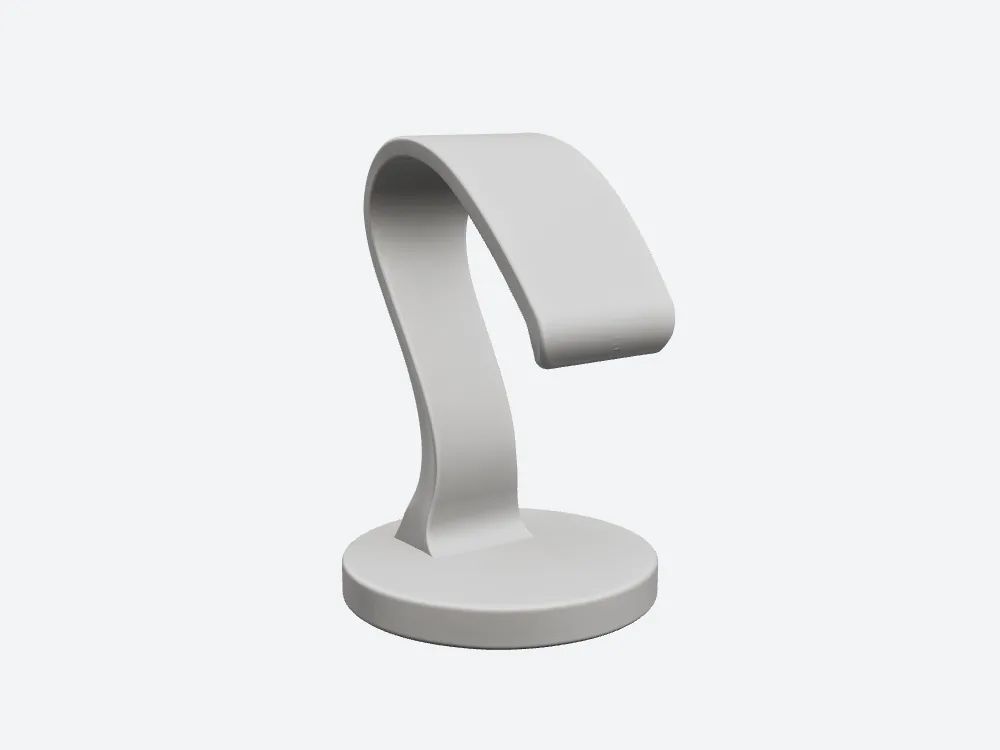
Tripo at the same camera: a thinner arch tapering to a sharper tip, a thinner lip, a faint transverse seam near the end of the sweep, and a straighter column with a flatter S.
Tripo's is the more elegant profile here — I would rather have that tip. It costs 30.45 bytes per triangle to own it.
Side, same camera
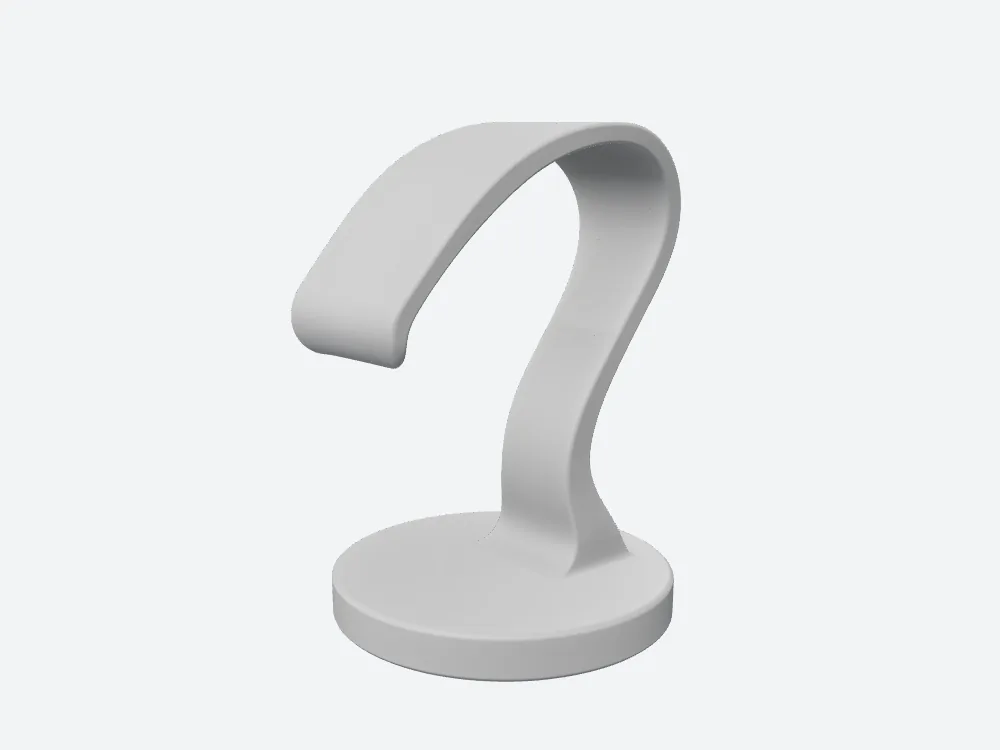
3D Studio in profile: the arch crosses its apex and drops, air underneath, ending in a rounded lip you can rest a strap on. The curve is smooth end to end with no sag.
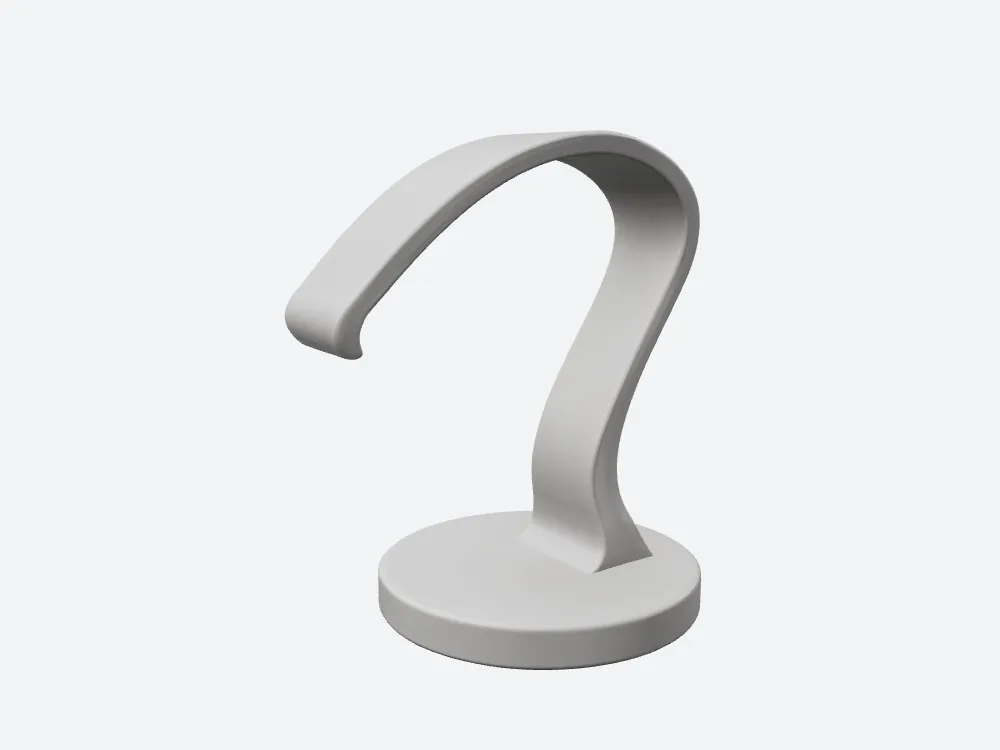
Tripo in profile: a longer, flatter arch dropping to a much thinner, nearly pointed tip, with a small notch on the underside.
Both cantilevers are real — open air under both arches. Which tip actually supports a watch is a wall-thickness question, and this run recorded no thickness field, so I am not answering it.
Back: the view neither product was shown
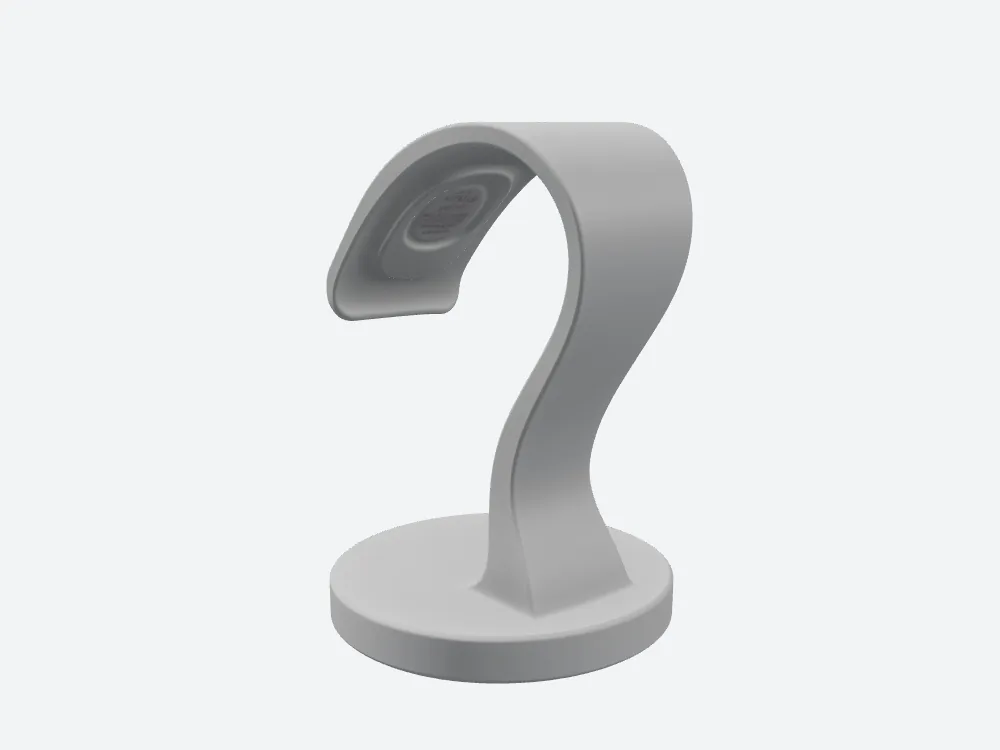
3D Studio invented an oval engraved plaque with concentric rings and illegible pseudo-lettering on the arch underside. The input photo has no label. That is the most visible hallucination in this test.
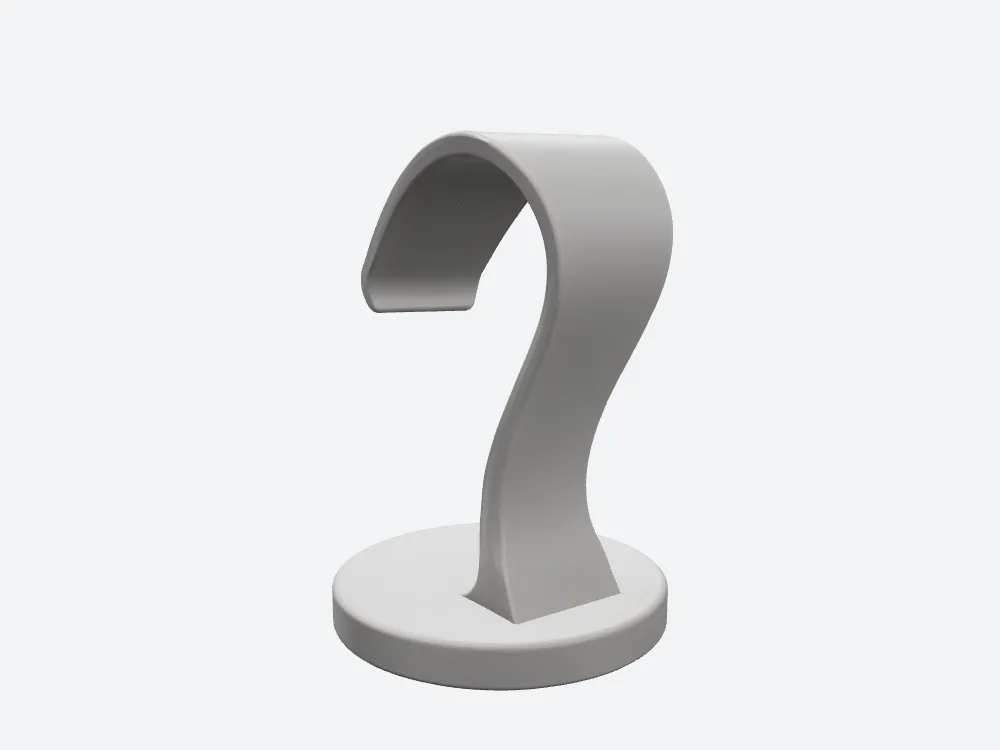
Tripo at the same camera: the arch underside is blank — more restrained — but the column meets the base disc in a hard crease with no fillet, as if the foot were pushed into the plate.
Tripo is the better-behaved of the two on the back face. It invented nothing where it had nothing, which is the right instinct; it just also skipped a transition 3D Studio rendered as a full round.
Back, zoomed
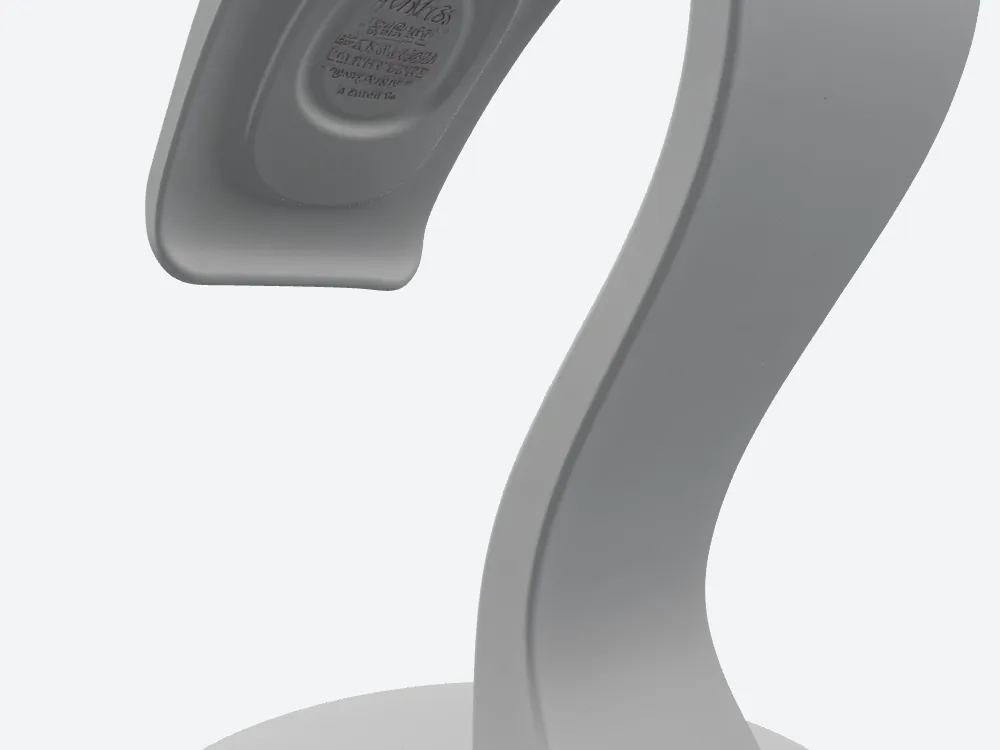
The 3D Studio engraved plaque at close range: concentric rings and text-like marks that resolve to nothing. For a print, this is a surface you sand.
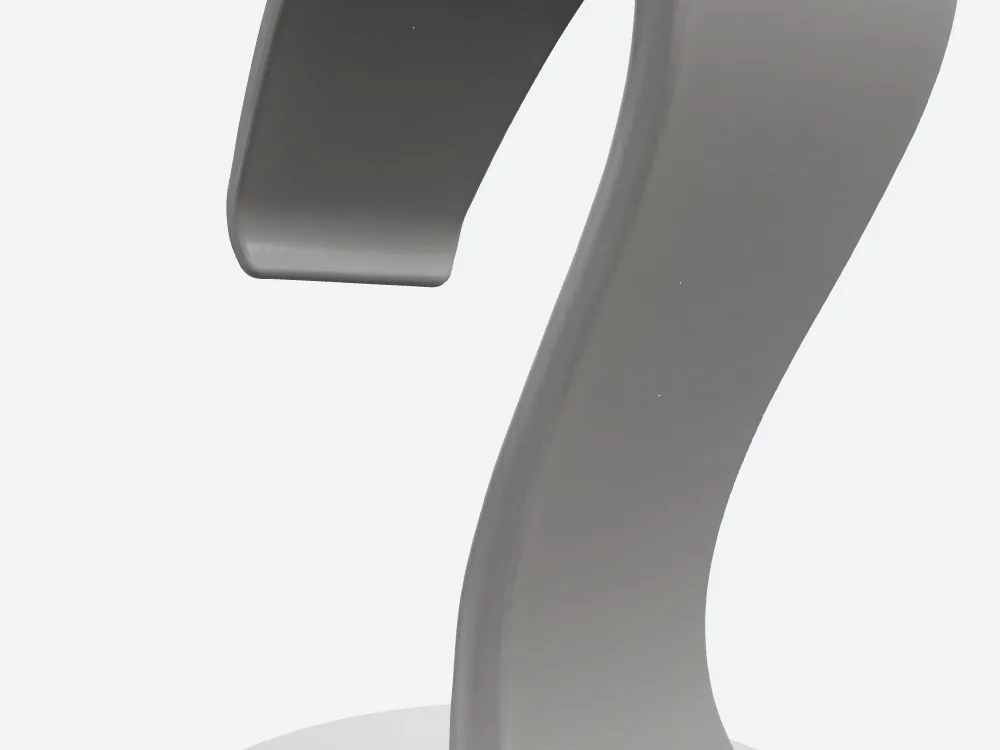
Tripo at the same close range: a clean blank panel, and below it the abrupt column-to-base junction.
- Invented detail, back — Tripo none · 3D Studio one plaque · Tripo wins this face
- Column-to-base transition — Tripo a hard crease · 3D Studio a continuous fillet · 3D Studio wins this one
- Neither is measured — both are same-camera observations, reported not scored
Hero, and the ring Tripo added to the base
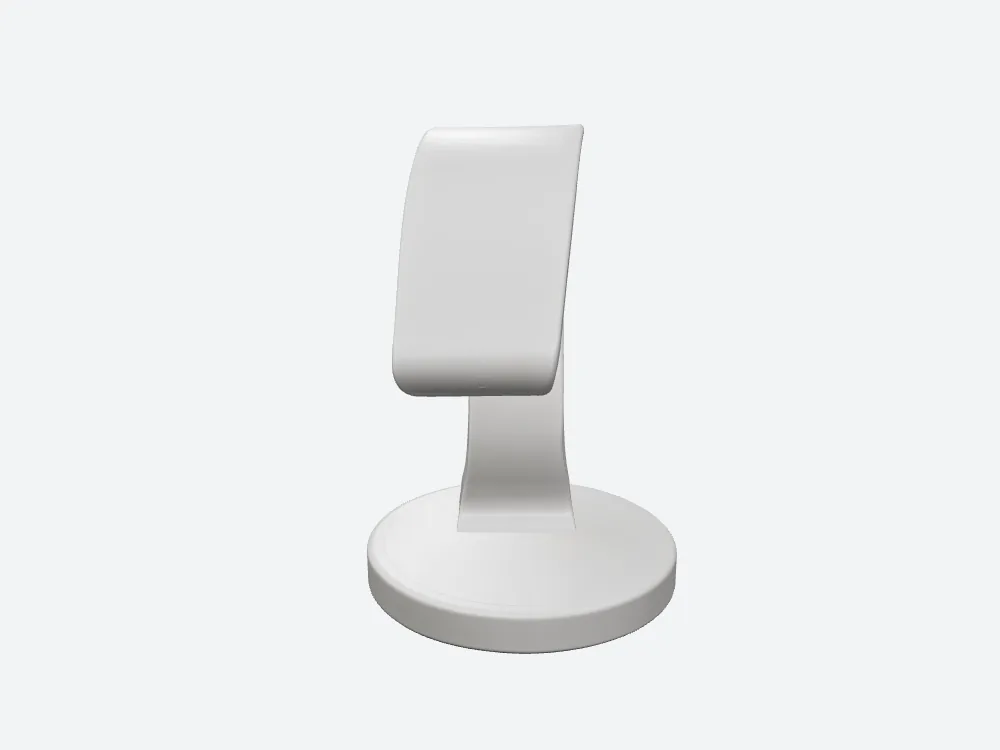
Tripo's hero view: the base top carries a ring of concentric recessed grooves. The input photo's base is plain. There is also a short transverse scratch low on the arch face.
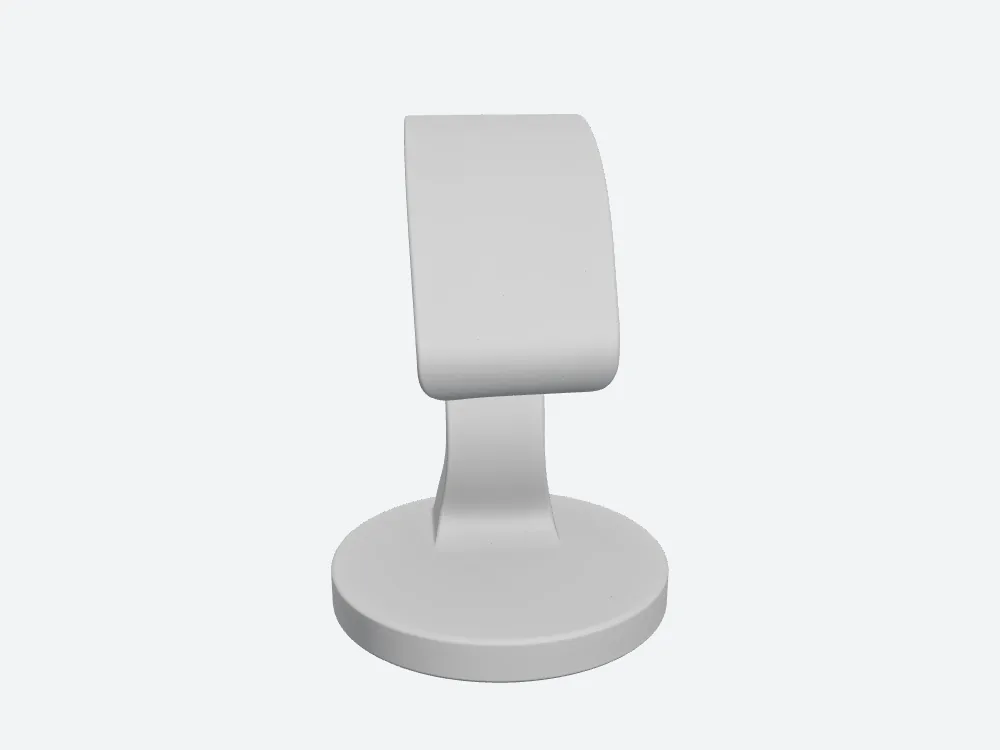
3D Studio at the same camera: matte grey, plain disc, no extra tooling marks on the base top, a rounded transition from plate to column.
So both sides invent — 3D Studio on the back underside, Tripo on the front face of the base, where it is the first thing a viewer sees.
Top-down: the footprint
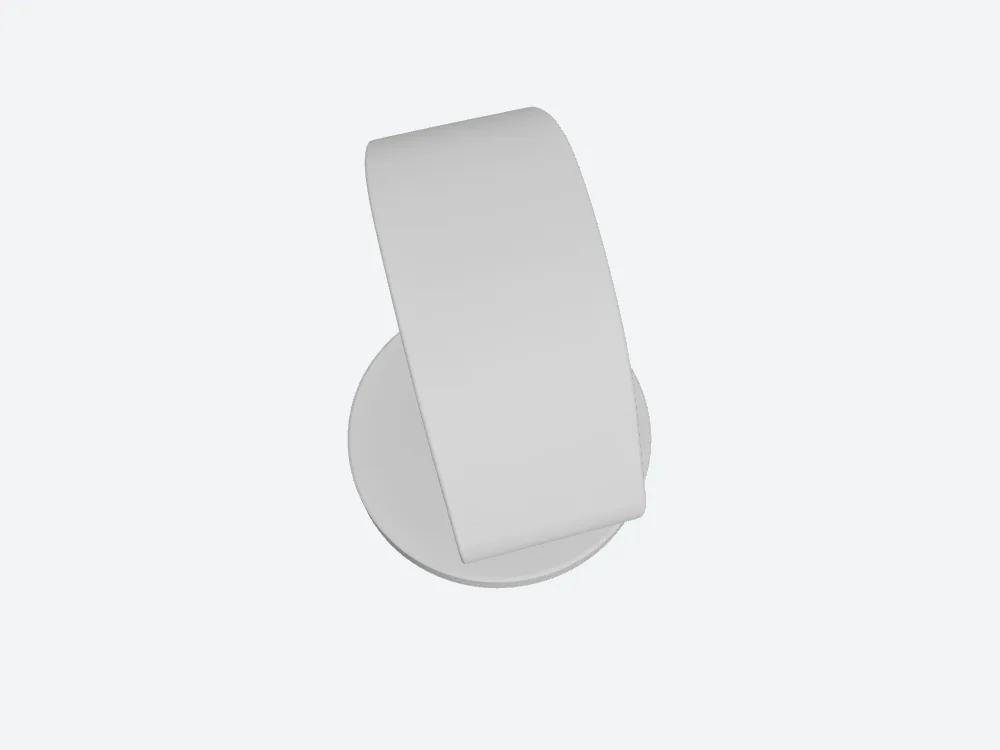
3D Studio from above: a wide band crossing a clean circular base, its tip past the rim, the two band edges parallel and untwisted.
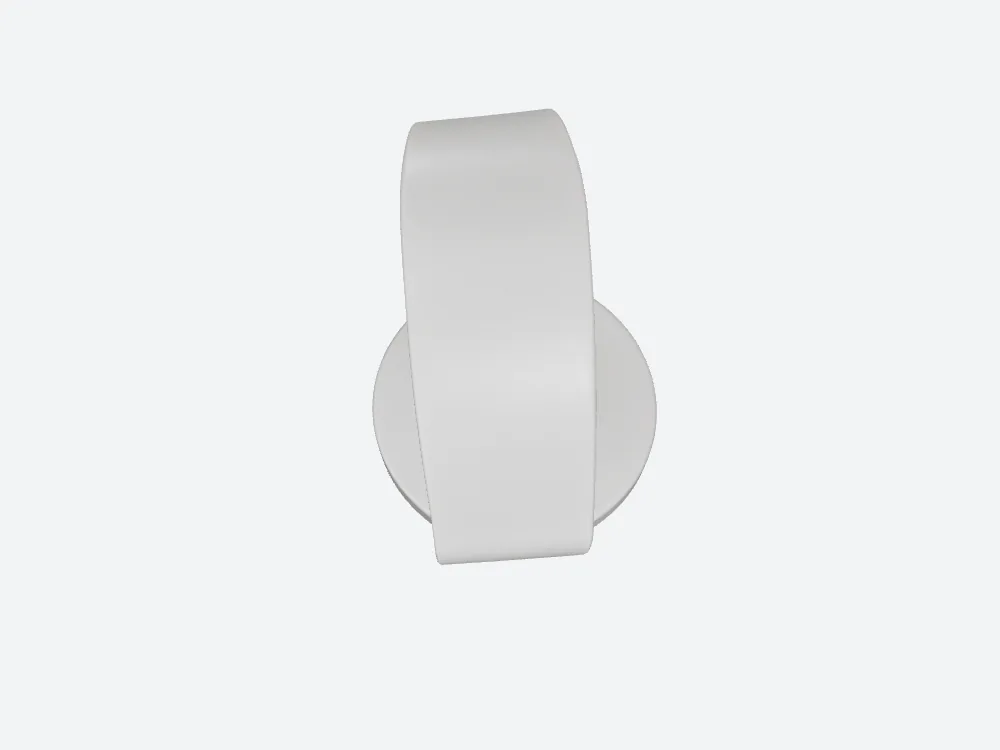
Tripo from above: a noticeably narrower band overhanging the disc at both ends.
- Bounding box at 120 mm tall — Tripo 83.3 × 120.0 × 103.05 mm · 3D Studio 85.51 × 120.0 × 91.3 mm
- On the plate — Tripo narrower and 11.75 mm longer · 3D Studio 2.2 mm wider and shorter
Where the 60.77 MB actually goes
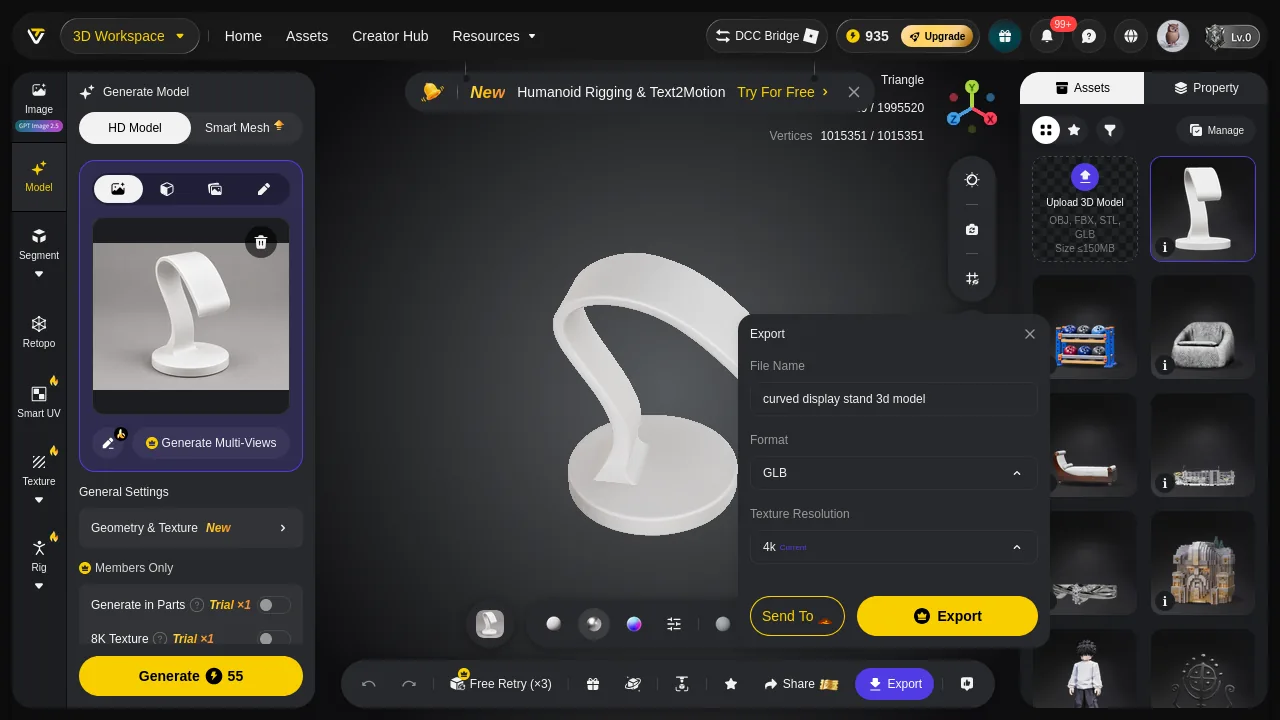
Tripo's export dialog, with Texture Resolution sitting on "4k Current" and the filename auto-set to "curved display stand 3d model". Leave the default and the 4K maps ship with the model.
- Base colour — Tripo 1,352,875 B · 3D Studio 207,682 B · both 4096×4096
- Everything else — Tripo 2,976,295 B · 3D Studio 237,632 B · 12.5×
- Tripo's normal map alone — 2,043,213 B PNG · larger than the whole 3D Studio texture set (450,000 B) by 4.6×
- Tripo's metallicRoughness — 933,082 B JPEG · a map no printer reads
Tripo is not shipping more resolution — both base colour maps are 4096×4096. Tripo is shipping the same resolution in heavier containers: JPEG, JPEG and a 2 MB PNG against three WebP files at 58,370 / 207,682 / 179,262 bytes.
And the geometry is uncompressed
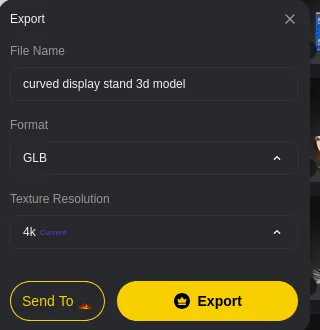
The same dialog enlarged: File Name, Format, Texture Resolution. No decimation, no LOD, no compression choice — the 1,995,520 faces go out at full weight.
The 3D Studio GLB declares EXT_meshopt_compression and KHR_mesh_quantization. Tripo's declares KHR_materials_volume and FB_ngon_encoding — no geometry compression at all. Between that and the texture containers you have the entire 7.9×.
- Bytes per triangle — Tripo 30.45 B · 3D Studio 5.14 B · same object, 5.9× cheaper per face
- What that compression costs you — the quantised 3D Studio export arrives in a ~32,000-unit box, so you scale once to your target height before slicing
What that weighs on a phone
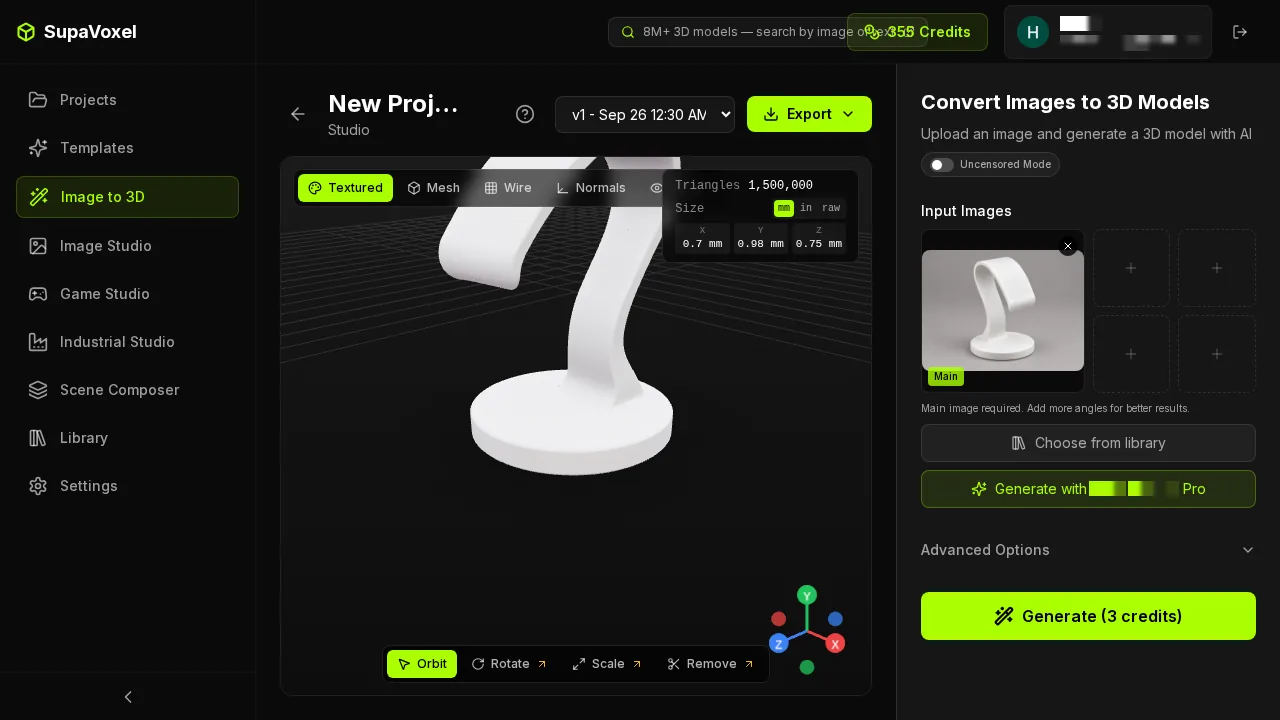
The 3D Studio result page reports Triangles 1,500,000 and millimetre dimensions, and the file behind it is 7.70 MB.
- 12 Mbps 4G — Tripo 40.5 s · 3D Studio 5.1 s · 35.4 s of staring at a spinner
- 100 Mbps home — Tripo 4.86 s · 3D Studio 0.62 s · opens instantly against opens eventually
- Geometry VRAM — Tripo 56.4 MB · 3D Studio 44.0 MB · 12.4 MB, which decides whether a second model fits
The CDN invoice
- 10,000 loads/month at $0.085/GB — Tripo $51.65 · 3D Studio $6.55
- Same traffic, one year — Tripo $619.80 · 3D Studio $78.60 · $541.20 of difference
- A 100-model catalogue, downloaded once each — Tripo 6.08 GB · 3D Studio 0.77 GB
Put a Tripo GLB on a product page and the 55 credits stop being the price. Ten thousand monthly views is another $45.10 a month, and the visitor on a phone waits 40.5 seconds to see the thing.
That number is the one most likely to be dismissed as trivia, and it is the one that compounds. A single hobby print never touches it. A catalogue of a hundred items, each viewed a few thousand times a month, turns the same ratio into a recurring line on an invoice nobody budgeted for, while the objects on screen look — as the renders above show — very nearly identical from every angle a customer will rotate them to.
What I did not measure
A comparison is only worth as much as the list of things it refused to guess at, so here is mine for this case. Tripo's viewer, once its modal is dismissed, offers material spheres, an Export button and a promotional banner — no wireframe and no normals mode — which is itself part of why several of these rows stayed empty on the Tripo side.
- Albedo ΔE between the two base colour maps — not captured this run. I compared bytes, dimensions and formats, not colour difference, so I make no claim about which texture is closer to the photo.
- Wall thickness — not captured. No thickness field exists in my metrics and I will not infer it from a silhouette.
- UV chart occupancy — not captured.
- Export formats offered by either product — not captured; GLB on both sides.
- The two wireframe zoom renders — 7.8 KB and 10.8 KB, both near-solid black. I opened them: that is genuine 1.5–2 M-triangle density, not an empty frame, and neither is used as evidence here.
Final verdict: Tripo scores 60/100
Tripo produced the crisper arch tip, invented less on the back face, and beat 3D Studio to this particular model by 90 seconds — 160.0 s against 250.2 s, one of three subjects out of ten where it won the clock. It then charged 55 credits against 3 and shipped 60,768,680 bytes against 7,704,168 — the same 4K base colour resolution in containers 6.5× heavier, a 2.04 MB PNG normal map, and 1,995,520 triangles with no compression and no way to reduce them. On a phone that is 40.5 seconds against 5.1. On a product page it is $619.80 a year against $78.60.
One run each, product defaults, sample size one. Both files were downloaded and parsed; nothing here is read off a product panel.
Which one I would use for this job
If the model has to travel — a store page, a client hand-off, a phone — the 3D Studio file is the one I would ship: 7.70 MB, 5.14 bytes per triangle, three WebP maps, meshopt-compressed geometry, 5.1 seconds on 4G, at tr.ee/apVkMX. Its honest cost is that the quantised export needs one scale step before slicing, and its base is 2.2 mm wider on the plate. Take Tripo if the arch tip silhouette is what you are buying and the bytes never leave your workstation.
Originally published on Medium: Tripo GLB Export Review 2026: 60.77 MB for One Watch Stand.